A 3D model of your exact car, with its service schedule, known faults, job guides and every pound you spend on it. Tell us what you drive and we'll build yours.
Try the demo Walk round an example car in 3D, or build it on your own.
Loading the BMW E46
BMW M3 (E46)
The E46 3 Series: the car BozGarage started on.
Running today on our own E46
Drag to turn the car. Pick a dot for an example part readout.
Everything the car needs you to remember.
Service dates, part numbers, torque settings, what failed last time and what it cost. The panels below are lifted from the build we run on our own BMW E46.
Every part carries its condition
Pick a part on the 3D model and this is what comes up: how it is, a note and its part number. Nothing lives in your head.
Front discs and padsReplace
Rear subframeNeeds work
Clutch release bearingKeep an eye on it
Radiator and thermostatGood
Dampers and springsGood
From our E46, after its inspection.
A schedule that counts for you
Each job has an interval in miles and in months. Log it once and the countdown starts again.
Engine oil and filter6,000 miles or 12 months
Brake fluidEvery 24 months
CoolantEvery 36 months
Spark plugsEvery 60,000 miles
Real intervals from the E46 build. Bars are an example.
Known faults, before they find you
What goes wrong on your model, how to spot it, and what the fix tends to cost in the UK.
High urgencyRear subframe and boot floor cracking
Listen for
A clunk from the rear, on and off the throttle.
The fix
Weld-in reinforcement plates. Catch it early.
Garage cost
£700 to £2,200
Cooling system failureHigh
VANOS seal wearMedium
Window regulator failureLow
Four of the 17 known faults in the E46 build.
Job guides written for a first-timer
Safety first, then tools, parts, steps and the torque for every bolt you undo.
Front brake discs and pads2 to 4 hoursDifficulty 3 of 5
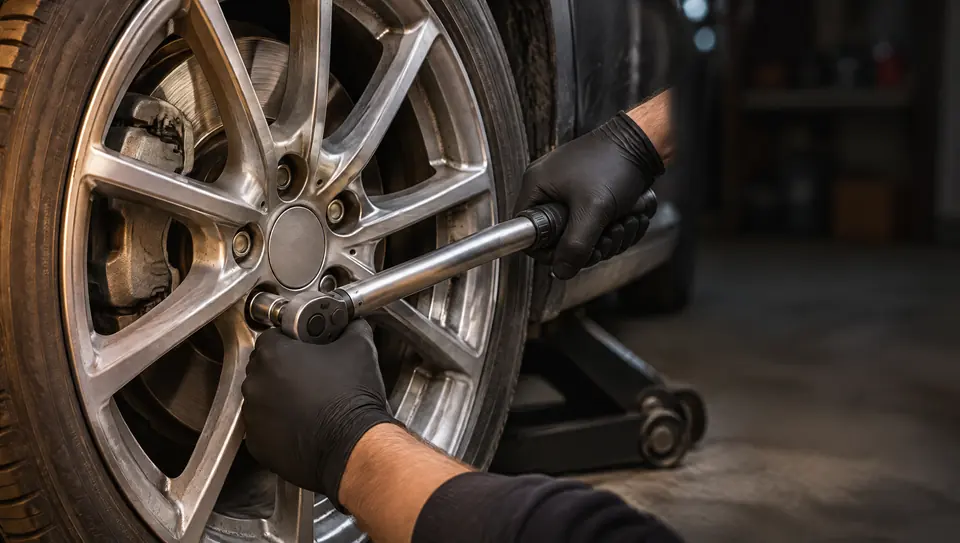
Set up safely. Chock the rears, crack the wheel bolts, jack the front and set it on axle stands.
Remove the caliper. Hang it from the spring. Never let it dangle on the brake hose.
Remove the carrier and disc. The small set screw is the one that fights back.
Clean the hub, fit the new disc. Rust between hub and disc causes vibration.
Caliper guide bolts30 Nm
Caliper carrier110 Nm
Disc set screw16 Nm
Wheel bolts120 Nm
Shortened from one of 21 guides in the E46 build.
Projects with a budget
Group the jobs for a refresh or a rebuild, tick them off, and see what is left to spend.
Inspection fixes24 jobs
Engine oil and filter
Radiator and thermostat
Spark plugs
Front discs and pads
Rear subframe welding
The live project list on our E46.
Part numbers and fluids, already looked up
The right pad, the right oil and how much of it, before you order or drain anything.
Front discs325 x 25 mm
Engine oil6.5 litres, 5W-30
Brake fluidDOT 4, 1 litre flush
Oil drain plug25 Nm, new washer
From the E46 build: a 330Ci with the 3.0 petrol engine.
BozGarage began as the tool we made to keep a twenty-year-old BMW on the road: every job, part number and torque setting in one place instead of forum threads and a folder of receipts. Other owners asked for one. So now it gets built around your car.
From number plate to your own garage.
Three steps. You do the first one.
Tell us what you drive
Enter the reg. No reg to hand? The make, model, year and engine do the same job.
UKAB12 CDE
We work out your car
Body style, engine code and gearbox, then the service data, known faults and parts that go with them.
Coupe3.0 petrolManualUK right-hand drive
Your solution arrives by email
What your build covers, the plugins that fit how you use the car, and the price, in writing.
Your BozGarage buildWhat your build coversThe plugins that fitThe price, in writing
Core features come with every build. Add-ons are built into your car's solution when you ask for them, and the ones owners ask for most get built first. Tell us which you want when you request your vehicle.
Showing 28 plugins
3D parts map
Click a part on the model to see its condition, notes and part number.
Core
Service schedule
Every job by miles and by months, counted down from the last time it was done.
Core
Service log
Date, mileage, cost and notes for every job, in one history.
Core
MOT, tax and insurance dates
The three dates that matter, on the first screen.
Core
Job guides
Step by step, with the tools, parts, torque settings and the traps to avoid.
Core
Known faults
What goes wrong on your model, the symptoms, and what a fix tends to cost.
Core
Torque and fluids card
The numbers you look up most, already looked up.
Core
Parts list with part numbers
The right part number before you order, with where to buy.
Core
Costs and budgets
Every pound logged by category, so you know what the car really costs.
Core
Projects
Group the jobs for a rebuild, tick them off and watch the budget.
Core
MOT history
Past results and advisories beside your own notes.
Add-on
Recall check
Safety recalls for your model, flagged against the car.
Add-on
Clean air zone check
Whether the car pays in the zones you drive through.
Add-on
Document vault
V5C, insurance, handbook and warranty papers in one place.
Add-on
Photo timeline
Dated photos of each job and each corner of the car, so you can see what changed.
Add-on
More than one car
The daily, the weekend car and the project, each with its own garage.
Add-on
Fault code reader
Plug in a diagnostic reader and see codes explained in plain English.
Add-on
Tool list for each job
Know what to borrow or buy before the car is on stands.
Add-on
Receipt scanner
Photograph a receipt and it lands in the log.
Add-on
Fuel and running costs
Fill-ups, miles per gallon and cost per mile.
Add-on
Sale-ready history pack
One tidy PDF of everything done to the car, for the day you sell.
Add-on
Mod planner
Plan the build, order of work and parts before spending anything.
Add-on
Track day log
Sessions, lap times, tyre pressures and what you changed.
Add-on
Tyre and brake wear
Tread and pad depth over time, with a nudge before they are done.
Add-on
Workshop mode
Customer cars, job cards and history for an independent garage.
Add-on
Book time to real time
Turn manufacturer labour units into hours and a labour price.
Add-on
Share with your mechanic
A read-only link to the car's history, so nobody starts from scratch.
Add-on
Clubs and fleets
Many cars on one screen, for owners' clubs and small fleets.
The request form at the foot of the page lets you tick the ones you would use.
Do the job once, and do it right.
The difference between a good afternoon and a stripped thread is usually one number. Your build puts it in front of you while your hands are still clean.
The tools to borrow or buy before the car is on stands
The exact parts, with part numbers, for your engine
Torque settings for every bolt in the job
The traps that catch people the first time
Guides are written to help, not to replace a workshop manual. If a job is beyond you, the build says so and tells you what to ask a garage for.
For garages, clubs and small fleets.
Workshop mode holds every customer or member car in one place: its history, the jobs on the ramp today, and labour time worked out from book time. Hand the owner a link to their car's history and they come back to the garage that knows it.
Every build is priced for the car and what you want it to do. Request your vehicle and your options arrive by email, in writing, before you commit to anything.
Any car. The ten on this page are examples. Send your reg, or the make, model, year and engine, and we work out the rest: body style, engine code, gearbox and the service data that goes with them.
What do I get by email?
A custom solution for your car: what the 3D model and data pack will cover, which plugins fit the way you use the car, and what it costs. You decide from there.
Is it an app I have to install?
No. BozGarage runs in the browser on your phone, tablet or computer, so it works in the garage with the bonnet up as well as at your desk.
Where does the data come from?
Service intervals, torque settings, fluids and part numbers are researched for each model, and anything we could only find in one place is marked so you can confirm it before you order. They are a guide: always check against your handbook or a workshop manual before working on the car.
What does it cost?
Every build is priced for the car and what you want it to do, so there is no price list on this page. Request your vehicle and your price arrives by email, written down, before you commit to anything. Asking costs nothing.
Can a garage or an owners' club use it?
Yes. Workshop mode is built for independent garages, clubs and small fleets: many cars, job cards, labour times and a history you can share with each owner.
Are you connected to the car makers?
No. BozGarage is independent and is not affiliated with, or endorsed by, any vehicle manufacturer. Makes and models are named only to say which cars it covers.
Who is behind it?
BozApps, a UK software studio. BozGarage began as the tool we built to look after our own BMW E46, and other owners started asking for one.
Your car is next.
Send the reg, or tell us what it is. We'll come back by email with a custom solution built around that exact car.
The ten cars on this page are the work of independent 3D artists and, for the Micra, of Nissan France, used under Creative Commons licences and simplified and compressed by us for the web:
BozGarage is independent. It is not affiliated with, sponsored by or endorsed by BMW, Alpina, Volkswagen, Renault, Nissan, Tesla, Porsche, Mazda, Land Rover, Honda or any other vehicle manufacturer; makes and models are named only to say which cars are shown. Part readouts on the 3D model are examples. Service data, torque settings and costs are a guide: confirm them against your handbook or a workshop manual before working on a car. Photographs on this page are computer-generated illustrations.